Frequestly Asked Questions

Website Shopping (ordering Online)

From the time you enter your name and address until an order is completed, your data is safeguarded using the latest in security software. We encrypt all confidential information when you shop at nbsmokehouse.com and we accept Mastercard, Visa, Diner's Club, Discover and American Express.

Once your online order is placed and processed, you will be sent an email confirming your order within 24 hours. We ask that you review the order information provided on the confirmation and notify us immediately if there are any errors.

You may monitor the status of your order by clicking My Account at the top of the page and entering your email address and account password. Once your account information displays, click the View Order button next to the order you wish to check on. Your order information and status is displayed.

You may also contact our customer service department at 1-800-537-6932 between the hours of 8 am and 5 pm CST.

When placing your order online, all of your items will display in your shopping bag. To the left of the items displayed in the shopping bag, you’ll see the words Promotional Code? Enter the promotional code from your catalog or other Smokehouse sale material into the box and click the Submit button. This will ensure that you receive the promotion that was offered to you.

At the top of each webpage on the right side, in a white box you’ll see the words Search by keyword or item#. Enter the name of the item that you are searching for, the item number, or a keyword into the box. Click the magnify glass to start your search. Your search results will display on the main portion of the page.

In the top right corner of each page, you’ll may click Quick Order. Enter the item number you wish to order in the Item field and the number of that item that you’d like in the QTY field. In the box below, click the arrow to select who the item should be sent to. You may choose yourself, someone else (you’ll be asked on the next screen to enter the person’s name and will be prompted for address information at checkout), or select someone from your address book.

Once you’ve completed these steps, the item number, quantity, and recipient’s name will display in your shopping bag. You may continue the process until all items have been ordered and are displayed in your shopping bag.

When you’ve completed your shopping, click the Checkout button displayed below your shopping cart or click theContinue Shopping button to return to the main page of the site.

Once you’ve located the item that you want to order, you’ll see an Add to Shopping Bag button in the item description. Just above that button, click the arrow to select who the item should be sent to. You may choose yourself, someone else (you’ll be asked on the next screen to enter the person’s name and will be prompted for address information at checkout), or select someone from your address book.

Entering an incorrect email address and/or account password is the most common reason for being unable to view online order information. Your user information is stored exactly as you entered it, and any differences in capitalization, spacing, etc will keep you from being able to access the account.

If you cannot remember your password or which email address was used when the account was established, please contact our customer service representatives at 1-800-537-6932 between the hours of 8 am and 5 pm CST for assistance.

Once you’ve established an online account, you may enter recipient information into your online address book. These names will be saved with your account information and you will be able to access them when placing future orders.

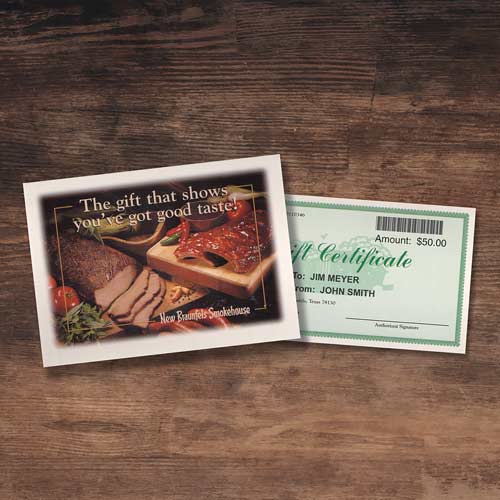
Our system requires us to secure a payment method before a gift certificate may be processed. This ensures that we have a method of payment should the order total exceed the amount of the gift certificate.

There is no need to mail your gift certificate to us after it has been redeemed online. Once the order has been placed and processed, the gift certificate is null and void and will no longer be accepted by our system. Feel free to throw the gift certificate away after it is used.

We do not require a signature for delivery of New Braunfels Smokehouse items; therefore a recipient does not need to be home to accept delivery. UPS and/or FedEx drivers are asked to leave our packages at any exterior door location.

If you have special delivery requirements, please contact our customer service representatives at 1-800-537-6932 between the hours of 8 am and 5 pm CST for assistance.

Each order placed on nbsmokehouse.com is reviewed by a staff member before being released to our shipping department. This process allows us to catch errors before the package is shipped in order to ensure proper delivery. Orders which have yet to be reviewed are given the status “Held for Manager Review.” When the order has been reviewed and released, this status is removed.

We only ship Monday, Tuesday, and Wednesday to allow our products time to arrive before a weekend, thus keeping them from sitting in a UPS or FedEx warehouse for several days. During peak holiday weeks these shipping days may change.

Because of the perishable nature of our products, we require that our packages arrive quickly and in good condition. The two-day standard and overnight shipping options allow us to get your shipment there in a safe and timely manner.

Unfortunately, we are unable to make substitutions to our gift boxes at this time.